For golf courses

Every department's week, on every phone.

Storecrew is the schedule, the time clock and the opening and closing checklists for a golf course — Pro Shop, Starter / Ranger, Cafeteria and Cart barn — in one app your seasonal crew actually opens.

▶ Watch the 3-minute owner's tour · Request a free pilot

Free while we pilot. No credit card. Runs in any browser and on Android.

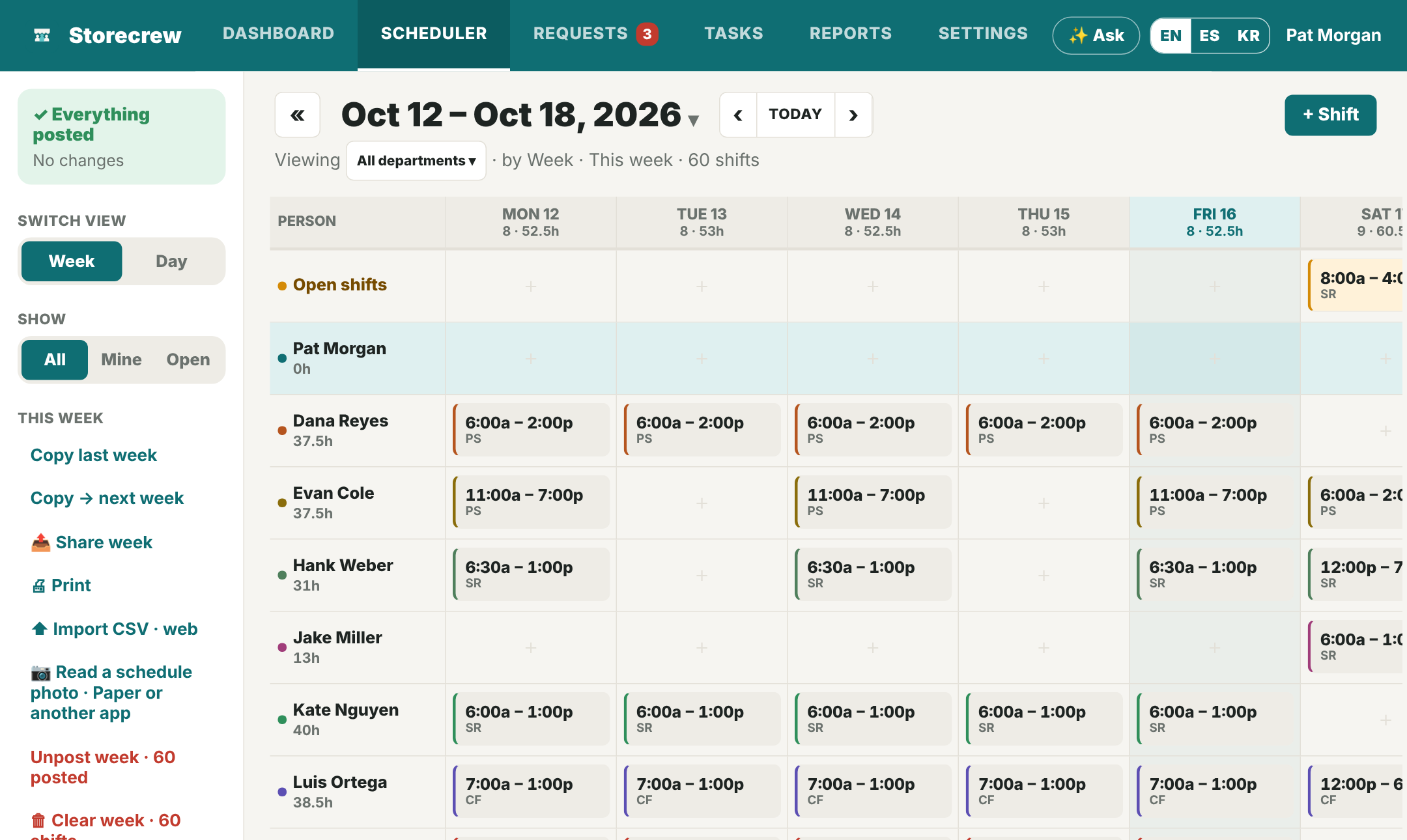
A golf course's week on a computer: a row per person, shifts tagged PS, SR, CF and CB for the four departments
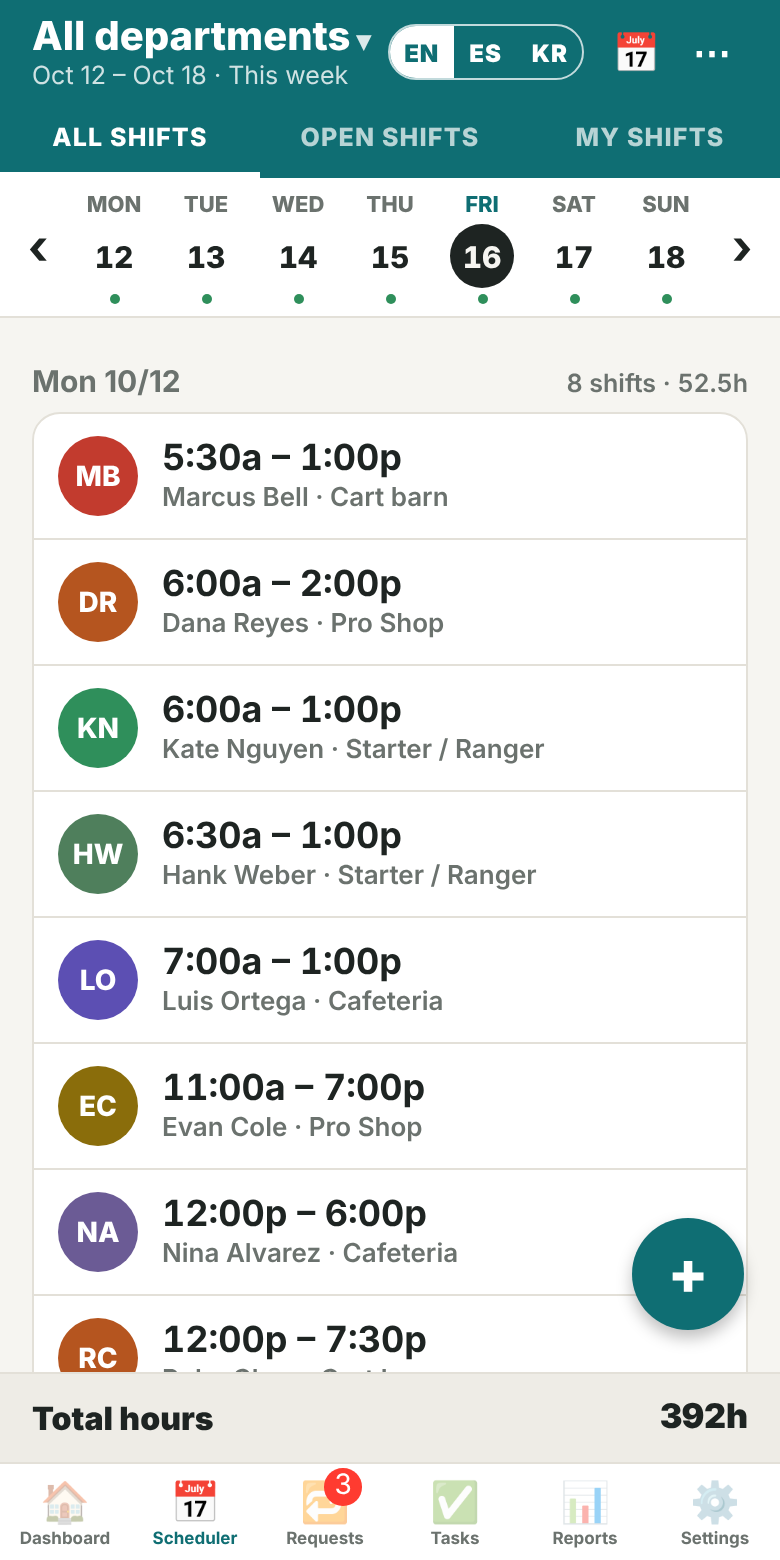
Today's shifts across all departments on a phone, from the 5:30 AM cart barn opener on
Four departments set up in one tap Seasonal crew joins with an invite code Crew in English or Spanish Clock-in checked at the course

Built around how a course runs

Pick "Golf course" and the departments come with their checklists

Rename them, add a department, or change any item — these are the starting lists every new golf course gets.

Pro ShopCount the drawer, start the POS and tee sheet, range balls and rentals out. Closing: register counted, cases locked, a photo of the locked door.
Starter / RangerTee sheet and events checked, radio check, scorecards and tees stocked, first tee ready. Closing: course notes for tomorrow, radios on the charger.
CafeteriaGrill and coffee on, fridge temperatures logged with a photo, beverage cart stocked. Closing: grill cleaned, trash out, locked up.
Cart barnCarts unplugged and staged, key box counted, wash bay ready. Closing: every cart back and washed, a photo of them plugged in to charge.
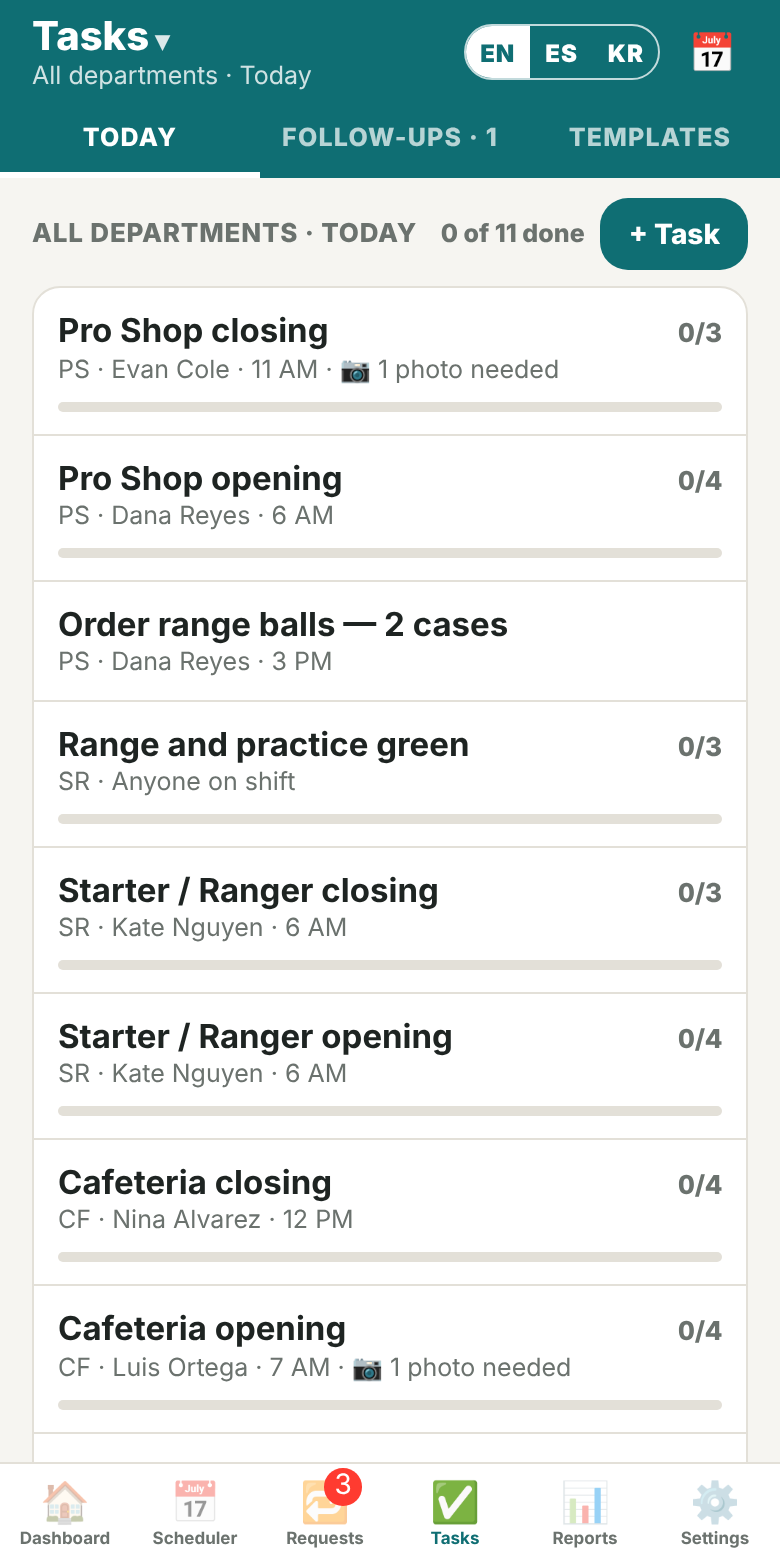
Today's opening and closing checklists for each department on a phone
The course's shifts for today on a phone

From the 5:30 AM cart barn to the last tee time

Opening and closing, done the same way every day

Each department's opening list attaches to its first shift of the day and the closing list to its last. Leads tick it off on their phone; what isn't done carries over to tomorrow.

  • Photo proof where it matters — fridge temperatures, carts on the charger, the locked door
  • One-off tasks with a due date and a follow-up, so "Cart #14 brakes" doesn't get lost
  • Handoff notes for the next shift, with who has read them

Season after season

Made for a crew that changes every spring

Build the week in minutes

The whole course on one week grid on a computer, one department at a time or all of them. Copy last week, drag shifts, post — everyone gets their days by email.

  • Import your Excel schedule as CSV to start
  • Open shifts the crew can claim; swaps between colleagues
  • Hours per person as you build, overtime warnings

Replace the punch cards

The crew clocks in from their phone. Set each department's clock-in spot once and a clock-in only counts on the course.

  • Timesheets by pay period, CSV for payroll
  • Scheduled vs actual labor cost, rates behind a PIN
  • Attendance notices: no-shows, late or early punches

Seasonal hires, sorted

Each department has its own invite code per role. A new hire enters it and lands in the right department — or add them with just a name.

  • Import the whole staff list from a spreadsheet
  • Owner, general manager, department managers, shift leads, crew
  • Name an acting owner while you're away; you see what they changed
  • Crew can use it in English or Spanish

Moving from a spreadsheet?

Bring the whole crew in at once, or let us do it

Import your staff list

Paste it from Excel or Google Sheets, or upload a CSV: names, emails, phones, roles, departments and hourly pay, with the columns in any order. Departments that are not set up yet are created on the way.

Import your schedule

Your Excel schedule comes in as draft shifts: one shift per row, or one column per day with cells like 9‑5 PS for the Pro Shop. Only have it on paper? 📷 Read from a photo turns a picture of the board into draft shifts. Check the week, then post it.

We do the first setup with you

Send us your staff list and your schedule, or a photo of the board. We load your departments, your crew and the first week with you, free during the pilot.

Ask us to set it up

Ask Storecrew

Ask a question, get the answer from your schedule

Type it the way you would ask a coworker. Storecrew answers from the shifts, requests and checklists you can already see, and takes you to the screen with the details.

  • “Who's working today?”, “When is my next shift?”, “What needs my approval?”
  • Understands English, Spanish and Korean
  • Answers are worked out on your phone or computer: your questions are not sent to any AI service
  • Tap 🎤 and say what you need — “Give my Saturday shift to Theo”, “Add Ruby tomorrow 6 to 2” — it comes back as a card, and nothing is saved until you tap Yes (see the AI question below)

Who's working today?

Working today (4):
Ruby Chen · 6:00a – 2:00p · Cart barn
Marcus Bell · 6:30a – 2:30p · Starter / Ranger
Luis Ortega · 7:00a – 3:00p · Cafeteria
Dana Reyes · 8:00a – 4:00p · Pro ShopOpen Dashboard ›

When is my next shift?

Your next shift: Sat 6:00a – 2:00p at Cart barn.

See it before you sign up

A short video for every role on the course

Recorded on the sample golf course. English narration.

Switching mid-season?

Start a free pilot

Tell us about your course. We reply by email and help you bring your current schedule in — the Excel file or a photo of the board — so your departments, crew and first week are ready in Storecrew.

  1. Send this form, or email support@storecrew.app
  2. We reply and set a time that suits you
  3. Create your course in the app (pick "Golf course") and share the invite codes with your crew

We use these details only to reply to you.

Pricing

Free while we pilot

$0 during the pilot

Every feature, every department, every person on the crew. When paid plans arrive they will be priced per location, not per person, so a big seasonal crew doesn't cost more. How that compares →

  • Unlimited crew
  • Web and Android
  • Email notifications included

FAQ

Questions golf course owners ask

Does every seasonal hire need to install an app?

No. Storecrew runs in the phone's browser; Android phones can also install it from Google Play. iPhone users add the web app to the home screen.

We run on punch cards and an Excel schedule. Is switching hard?

Paste your staff list from a spreadsheet, import the Excel schedule as CSV and hand out the department invite codes. Most of the setup fits in an afternoon — or send us the files and we do the first setup with you.

Does Storecrew use AI?

Ask Storecrew, the built-in assistant, answers questions like “Who's working today?” on your phone or computer, from the schedule you can already see; your questions are not sent to any AI service. AI is used only for two things you choose: 📷 Read from a photo sends the photos you pick (a paper schedule, a staff list, a checklist or a screenshot of another app) to Claude, Anthropic's AI, to be read; and a request you speak (🎤) or type to Ask — add a shift, ask for time off, give away a shift, add a task — sends just those words and today's date to Claude to be understood. Nothing is kept, and nothing is saved until you check it and tap Yes.

Can a department manager see only their department?

Yes. Managers see and schedule the departments they are assigned to; the owner and general manager see the whole course.

Does it give me hours for payroll?

Timesheets per pay period export as CSV or PDF, with scheduled vs actual labor cost for the owner. Storecrew does not run payroll itself.

How does the clock-in location check work?

Stand at the department, open it under Settings → Departments & invite codes and press "Use where I am now". After that a clock-in needs the phone's location and has to be within the radius you set.

Walk the sample course.

Pleasant Golf has a full week of shifts and checklists — no account needed.

Tour the sample golf course